
Medical and locum recruitment
Make more medical placements with connected recruitment.
Bring doctor profiles, hospital requirements and availability together. Use candidate matching to build relevant shortlists and reduce administration across compliance, bookings and finance, with reporting to help managers improve desk performance.
For medical and locum desks
Support locum, contract and permanent recruitment.
Manage doctor profiles, hospital requirements and placement activity in one platform. AI supports vacancy capture, candidate matching supports shortlists, and connected compliance, timesheets and finance reduce administration around each placement.
Candidate records built for medical recruitment
Keep grade, speciality, subspeciality, experience and registration details alongside availability and contact history. AI CV parsing helps create structured profiles for matching.
Hospital requirements linked to the placement
See your agency's compliance baseline alongside the additional documents required by the client, site or department.
Vacancies captured from client emails
Review structured requests from known client contacts, with dates, role details and source references captured and possible duplicates flagged.
Candidate matching for medical shortlists
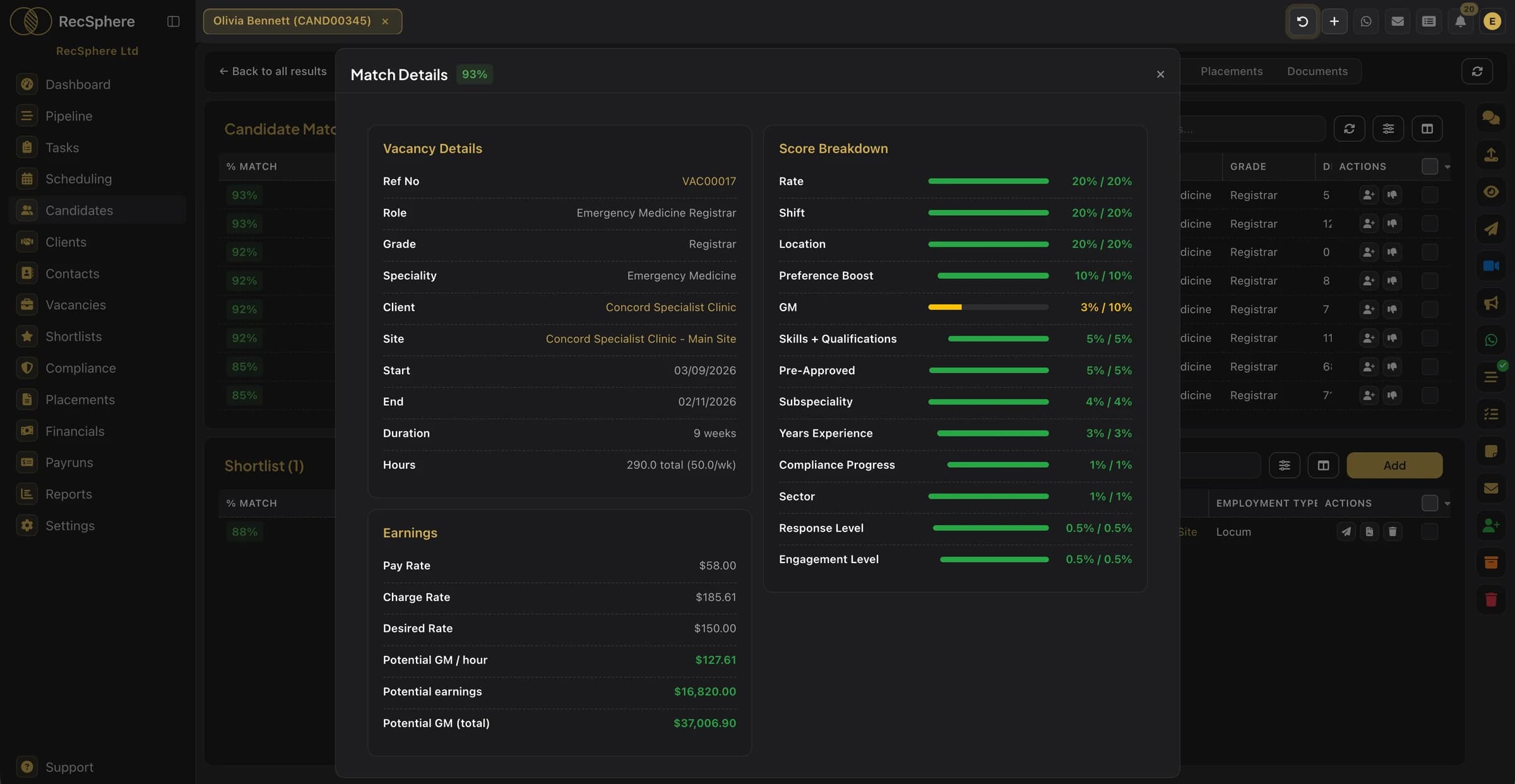
Rank doctors who hold the vacancy's grade and speciality on rate, shift availability, location and margin. Use the results to build the shortlist, then confirm interest, availability and the hospital's wider requirements with the doctor.
Availability connected to bookings
Review recorded availability and existing commitments alongside relevant profiles. Give consultants the information they need to agree and confirm bookings.
Financial visibility across your medical desk
Keep on-call, call-out and other rate rules linked to contracts and timesheets. Review placement value and margin to address discrepancies and guide account development.
Medical compliance records.
- Professional registration (GMC)
- Right to Work
- DBS check
- Immunisations
- Hepatitis B
- BLS / ALS
- Occupational health
- References
Configure additional documents to reflect your agency's requirements and each client's checklist.
FAQ
Medical recruitment questions.
What agencies on this desk ask us most.
Keep the relevant professional registration information on the doctor's record, alongside grade, speciality and experience. Associated compliance documents and review dates remain linked to that candidate.
Yes. Client checklists add the relevant documents to your agency's baseline, showing what is outstanding for that placement.
Yes. RecSphere supports locum, contract and permanent vacancies, with the relevant role, client, location and placement information connected.
See how RecSphere can help your medical desk make more placements.
Explore doctor profiles, hospital requirements and the workflow from shortlist to placement. See how connected operations and reporting support your medical desk's growth.